
Main /
ℛ Linear - Linear Indexing
Click on the image to see a larger version
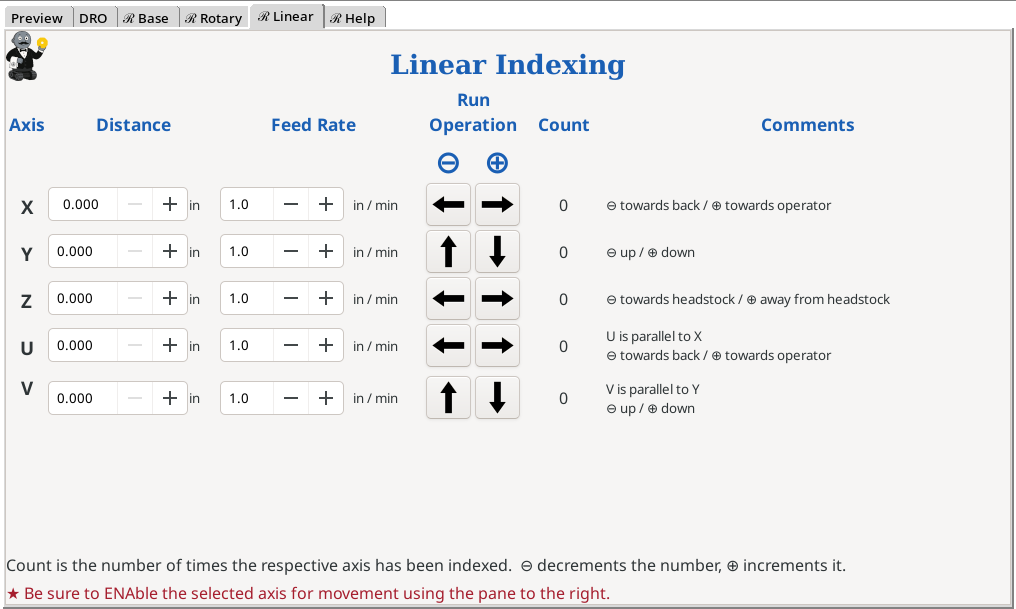
This menu screen is used to move the linear axes in defined distances. This menu screen was designed for making repeatable moves easier.
Fields & Buttons
Distance to Index

| This number represents the distance measurement. This is in inches. |
Notes:
- The distance the axis is moved reflects the settings for the axis in the configuration. For example, if it is set so that 4 revolutions of the linear slide moves it 1 inch, then each revolution will show 0.250 inch of movement. If your device should have this set to 3 revolutions per 1 inch, you will need to make a change to the SCALE and STEP_SCALE parameters in the respective axis file found in the directory.
- Each axis can have a different setting for these values.
- Directions for updating the Axis Configuration File.
Feed Rate

| The number represents the feed rate for the indexing movement (the speed). For these axes, this is in in/min. |
Run Operation

| 
| These buttons direct the axis to index in a negative direction. ⊖ | The buttons for each axis are on the row with that axis, and only act on the movement of that axis. Each axis’ movement is independent. | |
|
| ||||

| 
| These buttons direct the axis to index in a positive direction. ⊕ | ||
Click on the image to see a larger version
Notes:
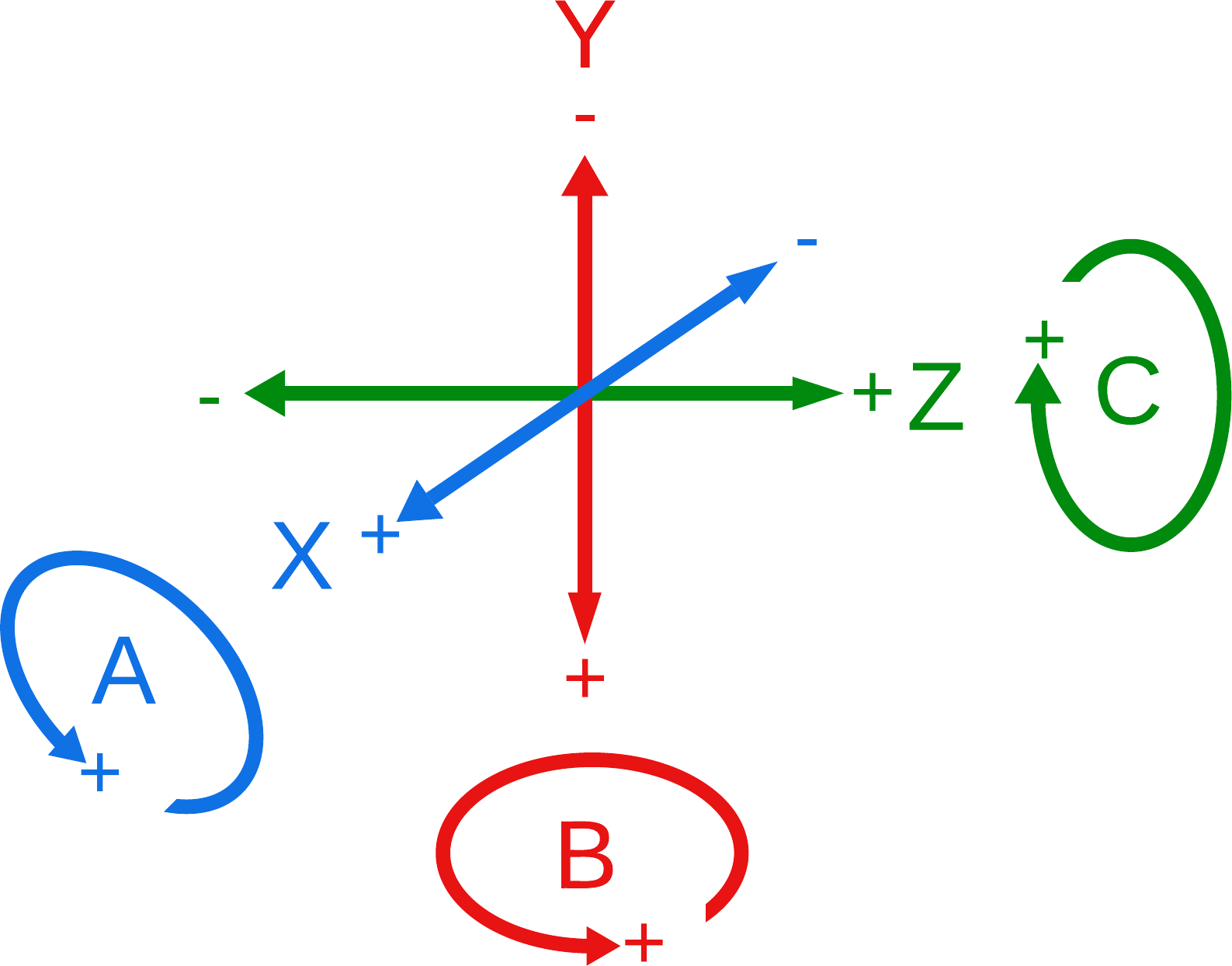
- The concept of negative or positive direction is based on the CNC standards. The diagram to the right shows these as it regards lathes. Do note that these are the traditional designations. You can use them however you wish; however it may be better to follow the standards to ensure you can keep track of what is happening.
- For these indexing operations, the G0 Gcode is used.
Count
The Count represents the number of indexing operations which have been executed.
- ⊕ Each positive movement increases this number.
- ⊖ Each negative movement decreases this number.
Additional Notes
If you wish to run multiple movements simultaneously, you will need to develop a Gcode macro to run. Possibly, there is one in the Gcode Library
| spacer line |
|
eMail comments to |