
Cabling Limit Switches to Rose Engine Butler
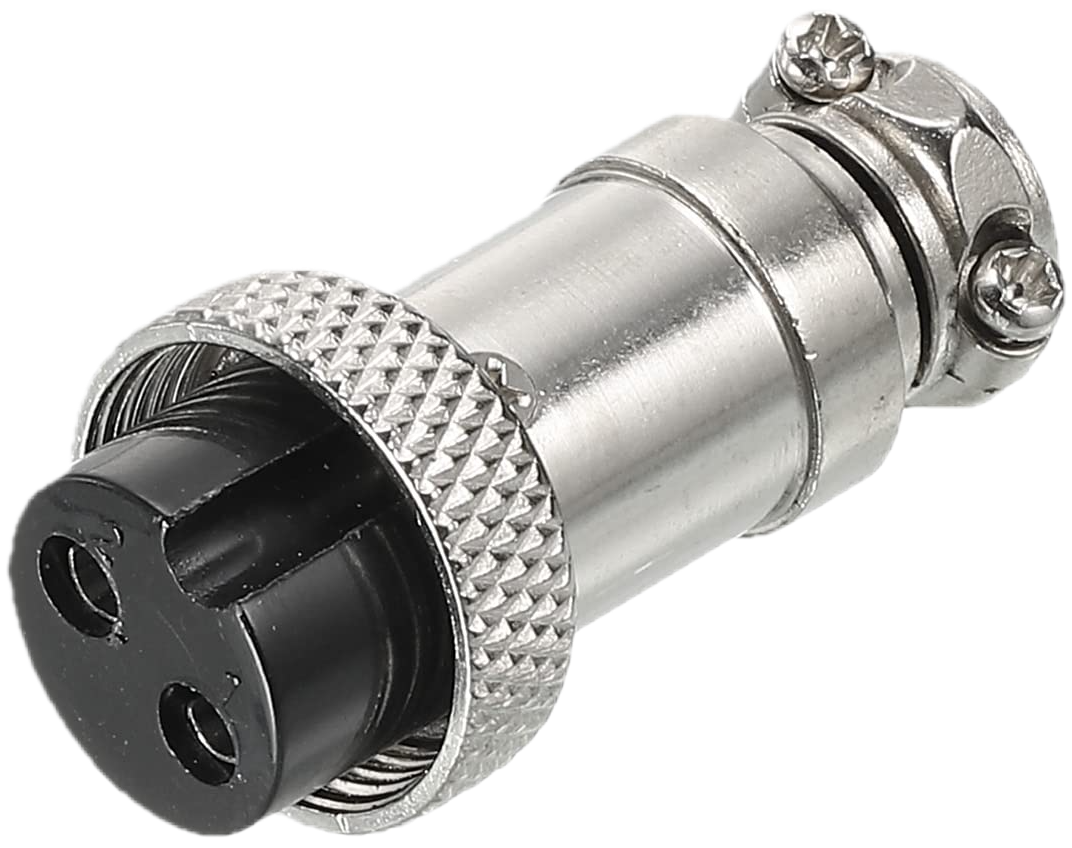
GX-12/2 Plug
Connector
A GX-12/2 female plug is used to connect limit switches to the Rose Engine Butler system. This is sometimes called an aviation connector.
Cable Sizing
The cable between the Rose Engine Butler system and your limit switch should:
- Have 2 conductors within the cable
- Be stranded - this is more flexible than solid wire
- Be 22 AWG (gauge; 24 AWG is the minimum) - this is easily soldered to the GX-12 connector
- Be shielded, with the shield connected to ground at the Rose Engine Butler box end only - this will help isolate the signal from noise which could be encountered in adjacent cables (e.g., for stepper motors)
Wiring the Switches
| GX-12 Pin | Wire Color | Purpose |
| 1 | Red | Signal (to the Rose Engine Butler input) - do not connect to any power source |
| 2 | Black | GND (ground) |
Limit Switch Notes
Limit switches are typically wired as normally closed (NC), and the circuit becomes open when the switch is triggered. If you wire them as normally open (NO), there is a setting in the configuration program you will need to use to make this work as you expect.
The switch simply connects the two pins together when it is not triggered. The Rose Engine Butler box supplies the signal itself, so never connect either wire to a power supply.
Each jack takes either:
- one switch, for one end of an axis's travel (set the jack to min or max), or
- two switches wired in series, one at each end (set the jack to both ends).
To protect both ends of an axis and still let LinuxCNC tell which end was hit (for example, each end of a curvilinear slide), use two jacks - one set to min and one to max.
Route limit switch cables away from stepper motor cables where you can, and cross them at right angles rather than bundling them together, so electrical noise doesn't cause false trips.
Limit Jacks 1 - 3 are on the Base Box, and Limit Jacks 4 - 6 are on the optional Expansion Box. A jack on either box can be used for any axis in use.
The use of such a switch must be configured on the Inputs, Outputs, and Sounds tab of the Rose Engine Butler Settings program.
|
eMail comments to |